Transaction Data - PostTrans Blog
Menu

Blog

Search

Category

AutoUpdated

Save time updating

Sage 50

Stock/Product Creation
Customer/Supplier Prices
Bill of Material
Project Creation
Location Bins

Sage 200

Simply extract, edit and import

Xero

Import from Excel

50 Trans

Nominal Journals
Quotes/Invoices/Orders
Remote Orders
Product/Stock Adjustments
Sales Receipts
Quick OrderPad

200 Trans

Transaction from Manual Input

Image Alt TextImage Alt Text

Multiple Transactions from CSV file

Xero

Solve the Puzzle?

Sage 50

Help on every type of import
Demo Video of all functionality
Loads of Examples included
Online Training
We can help too…

Sage 200

Image Alt Text

Xero

Great Customer Satisfaction

Customer Comments

Full Trial with Demo Data
Low cost Subscription
Cancel anytime
From a £1 a day
Saving you hours

Simply extract, edit and import

Power of Excel

Sage 50

Quick Template Creation
Customise with:
    Formula
    Macros
    VBA

Sage 200

To reach your goals quickly

Sage 200

Sage 200 Bins

Sage 200 Warehouse & Bins

Create Sage 200 Bins
Stock Take Bins
Move Bin Stock

Fast, cost effective, easy…

Image Alt TextImage Alt Text

Manufacturing

200 Manufact.

Create BOM Stock Easily
Create Bill of Materials
Labour, Machine, Tools

Image Alt Text

Complex tasks quicker...

50 BOM

Project Accounting

200 Projects

Create Project Structure
Update Budgets
Simple Project Entry

Make life easier...

Image Alt Text50 Projects

PostTrans Blog

Why not sign up to recieve news, tips, ideas, training.  Sign up for bi-weekly newsletter.

Blog Search

Archive by category: Transaction DataReturn
Remote Purchase Order for Sage 200
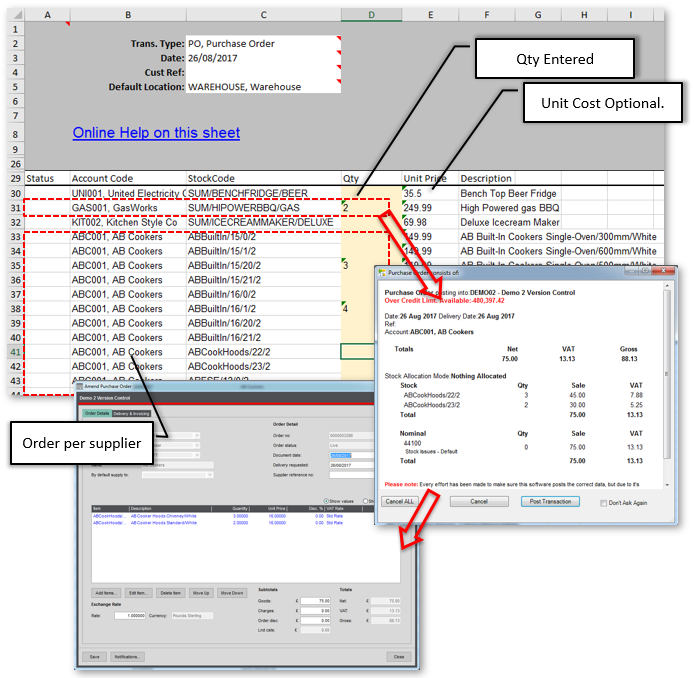
Remote Restaurant Purchase Order This sheet can be prepopulated with regular items to be ordered, and sent out to subsidiary Restaurant’s for data entry. The manager of each subsidiary Restaurant can then fill in their requirements and e-mail back to head office. All items with zero quantity will be ignored (Pro Feature). Back at HQ a user simply opens the sheet, in Excel, and presses Import button on the Posttrans Toolbar to import PO’s. The Unit Price column, which can be deleted if not nee...
Read More
Categories: Sage Line 200, Transaction Data | Tags:
Remote Purchase Order for Sage 50
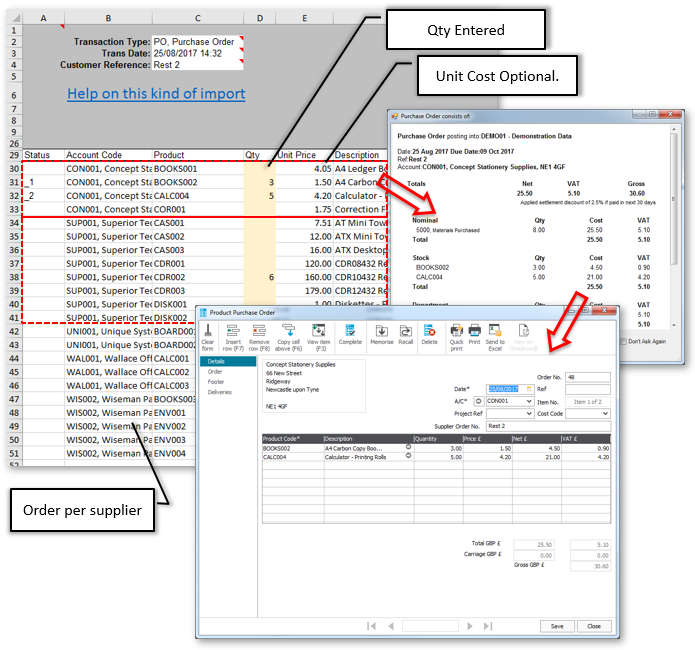
Remote Restaurant Purchase Order This sheet can be prepopulated with regular items to be ordered, and sent out to subsidiary Restaurant’s for data entry. The manager of each subsidiary Restaurant can then fill in their requirements and e-mail back to head office. All items with zero quantity will be ignored (Pro Feature). Back at HQ a user simply opens the sheet, in Excel, and presses Import button on the PostTrans Toolbar to import PO’s. The Unit Price column, which can be deleted if not nee...
Read More
Categories: Sage Line 50, Transaction Data | Tags:
Import Sage 200 Orders from Web Cart Export
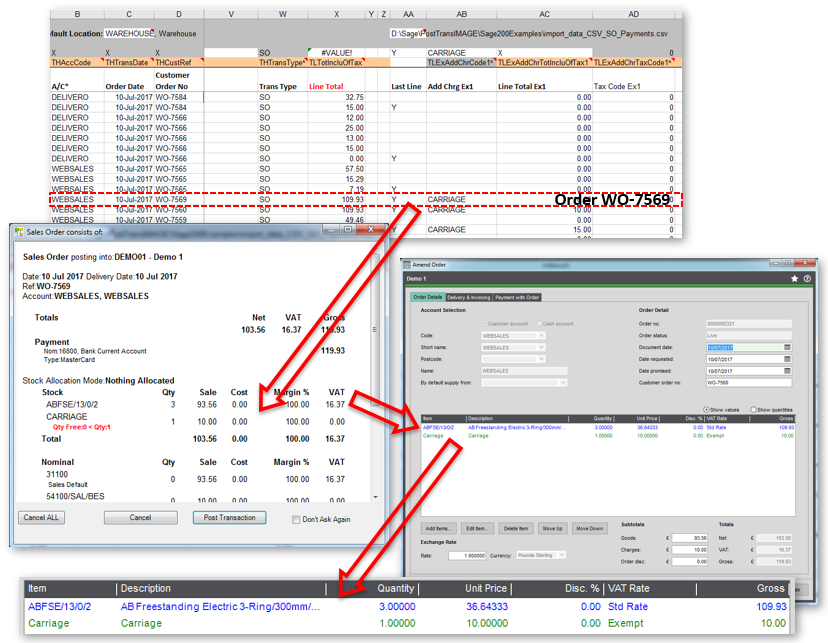
Requires the Pro version of PostTransThis article explains how import Web Cart Orders from CSV, delimited, or fixed length, text file into Sage 200.  PostTrans has the following advantages: Data Validation of all data and easy to error correction Detailed Optional Confirmation before import Print or e-mail Orders during import PRO Easy to customise mapping and add custom mappings Archive Order file to processed directory after successful import, so use only new files which have not been im...
Read More
Categories: Transaction Data | Tags:
Import Sage 50 Transactions from Payment/Line Total
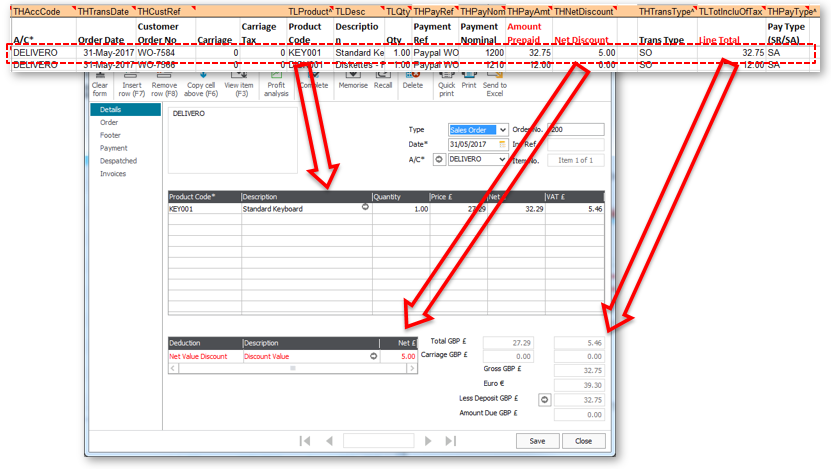
Requires the Pro version of PostTransThis article explains how import delimited, or fixed length, text file into Sage 50, using PostTrans which has the following advantages: Interactive Data ValidationFix Rounding Issues – Can automatically round Up/Down a Transaction to match Payment AmountAdd up to 4 extra charges per line for Carriage, Insurance, etc. Optional Confirmation before import Print or e-mail transactions after import Pro Archive file to processed directory after successful impor...
Read More
Categories: Transaction Data | Tags:

Blog Categories